Exchange ExMail Pro2.4
Publisher Description
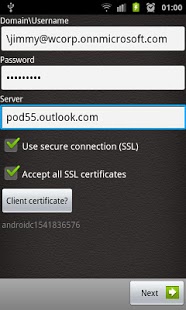
ExMail enables you to connect to your EMail server (Exchange, yahoo, Gmail, ...) to get Emails, Contacts, Calendar events and Tasks.
The application support mainstream email services such as; Exchange ActiveSync (Exchange 2003, Exchange 2007, Exchange 2010SP1, Microsoft BPOS platform), IMAP services (google account, yahoo mail, etc.) and POP3 services (google account, yahoo mail, etc.).
ExMail is 3X LESS EXPENSIVE than Exchange by Touchdown and Moxier Mail while providing same key functionalities.
ExMail provides following extra functionalities for Exchange mail accounts;
- Tasks synchronization (requires at least Exchange 2003 SP2),
- Authentication with Client Certificate,
- Search contacts in enterprise directory (Global Address List),
- Import contacts from enterprise directory,
- E-Mail search including message text
Security: ExMail applies exchange activesync policies such as device PIN, Remote Wipe, Client certificate and Data encryption of corporate data.
Tags: Exchange, Mail, Email, ActiveSync, GAL, Addressbook, Client certificate, Push
About Exchange ExMail Pro
The company that develops Exchange ExMail Pro is AECorp. The latest version released by its developer is 2.4. This app was rated by 1 users of our site and has an average rating of 5.0.
To install Exchange ExMail Pro on your Android device, just click the green Continue To App button above to start the installation process. The app is listed on our website since 2011-11-19 and was downloaded 107 times. We have already checked if the download link is safe, however for your own protection we recommend that you scan the downloaded app with your antivirus. Your antivirus may detect the Exchange ExMail Pro as malware as malware if the download link to com.exmail is broken.
How to install Exchange ExMail Pro on your Android device:
- Click on the Continue To App button on our website. This will redirect you to Google Play.
- Once the Exchange ExMail Pro is shown in the Google Play listing of your Android device, you can start its download and installation. Tap on the Install button located below the search bar and to the right of the app icon.
- A pop-up window with the permissions required by Exchange ExMail Pro will be shown. Click on Accept to continue the process.
- Exchange ExMail Pro will be downloaded onto your device, displaying a progress. Once the download completes, the installation will start and you'll get a notification after the installation is finished.
Version History
version 2.4
posted on 2011-11-19
Several fixes and updates
